Payhawk Administrators and employees with on-behalf-of booking permissions can book flights and hotels on behalf of other employees. The employee is always the owner of the resulting trip request while the booker acts as a proxy.
Booking travel on behalf of another employee is useful when Executive Assistants book for executives, Travel Managers arrange travel for teams, or Payhawk Administrators handle bookings for edge cases.
Enabling employees to book on behalf of others
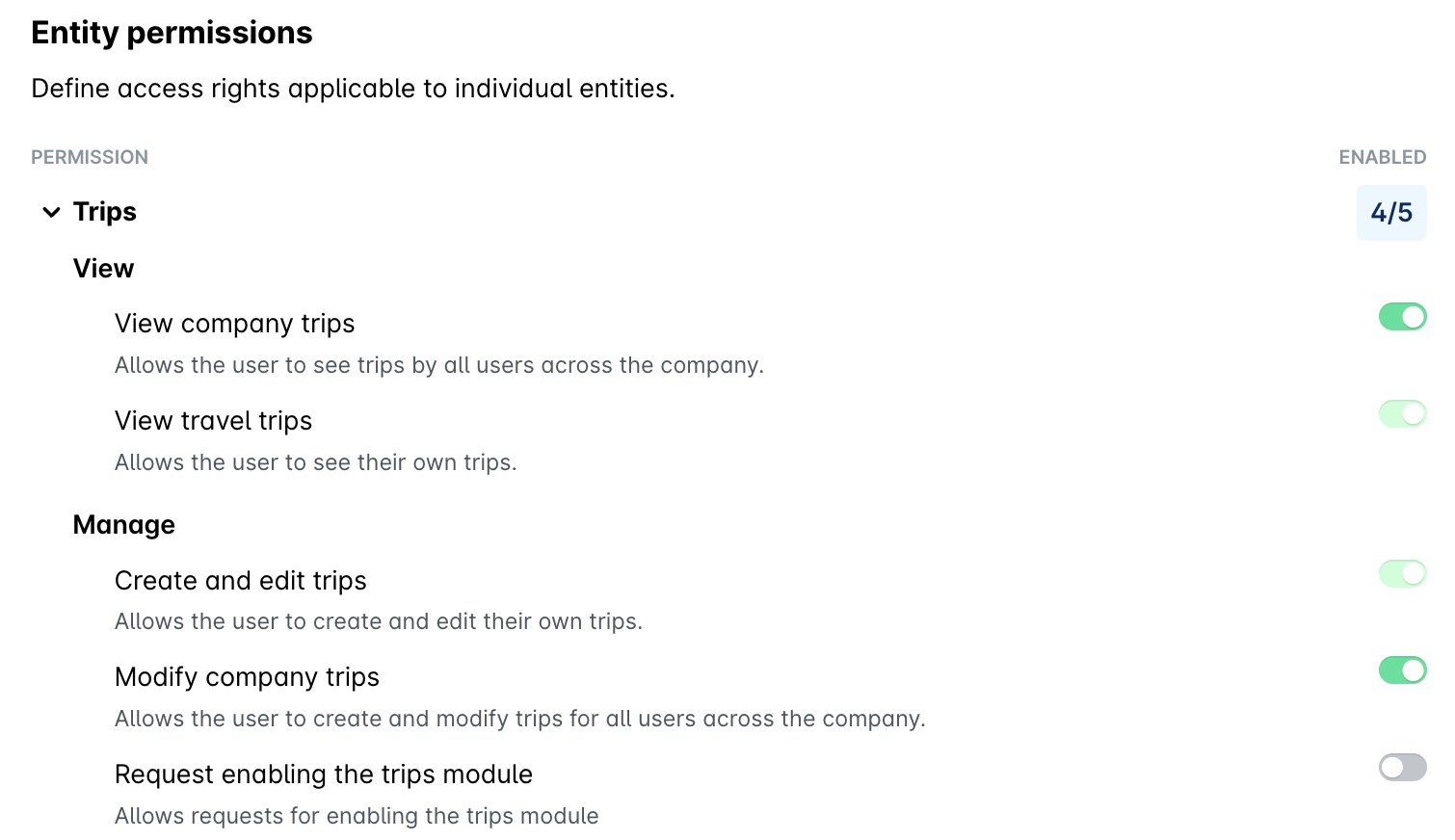
To enable employees to book trips and travel on behalf of other employees, Payhawk Administrators need to create a custom role with the desired Trips permissions enabled for them.
Roles and permissions are defined on the group level only.
Booking on behalf of an employee
To book on behalf of another employee in the Payhawk Web Portal:
Start a new booking conversation with the Travel AI Agent.
Use the @ tag followed by the name, directly the name, or the email with which the employee has registered with Payhawk in the chat to let the Travel AI Agent on behalf of whom you will be booking. You can choose from active employees within your entity or organizational access scope.
The AI Agent loads the selected employee's profile, including their travel policy limits and approval workflow, and maintains that context throughout the booking session. If you have access to make on-behalf booking in the selected employee's preferred travel account, the AI Agent will automatically switch to that account.
Complete the booking as usual. The Travel AI Agent will apply the employee's policy, not yours.
After booking
As a result from your booking on behalf of another employee, the following actions take place accordingly:
The trip request appears under the traveler's requests, not yours.
Confirmations and approval status updates are sent to both the booker and the traveler when a booking is successful. If a booking fails, only the booker receives the notification. Changes and cancellations are sent to the traveler.
E-tickets and hotel confirmations are associated with the traveler.
Checking in on behalf of an employee
With the same Trips permissions, you can also check in other employees for their flights. Ask the Travel AI Agent in the chat to check in the traveler, for example, Check in Maria Ivanova for her flight to Berlin.
When you check in on behalf of an employee, note the following:
You check in one traveler at a time.
The Travel AI Agent uses the travel document that the traveler has on record. Only travelers can enter their own passport or national ID details, so if the traveler has no travel document on record, they need to provide it first.
The check-in messages and the boarding pass go to the traveler and to their assistants.
For more information, see checking in for flights with the Travel AI Agent.
Policy and approvals
Policy limits are evaluated against the traveler's trip request, exactly as if they had submitted it themselves.
The approval workflow follows the traveler's configured approval rules.
Reporting and attribution
For accounting and reporting purposes, the trip request will belong to the traveler. The cost centre, department, and Budget Owner will all be attributed to the traveler and no manual reassignment will be needed after that.