Error message
Failed to export expense. Please ensure the user connecting Payhawk to Exact Online has admin rights.Affected ERP integrations
Exact Online
Cause
This error occurs when the user account that was used to connect Payhawk to Exact Online does not have the necessary rights and permissions in Exact Online. Without sufficient access rights, Payhawk is unable to create or manage purchase entries and bank entries (payments) on behalf of that user, which causes the export to fail.
Solution
To resolve this issue:
Log in to your Exact Online account using the user account that was used to connect the Payhawk integration.
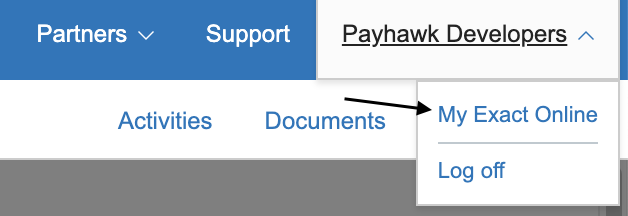
Click on My Exact Online from the top right menu in the Exact Online portal.
Scroll to the bottom of the menu and locate the Rights section.
Navigate to the Purchase tab and verify that all necessary rights are checked to allow Payhawk to create and manage purchase entries.
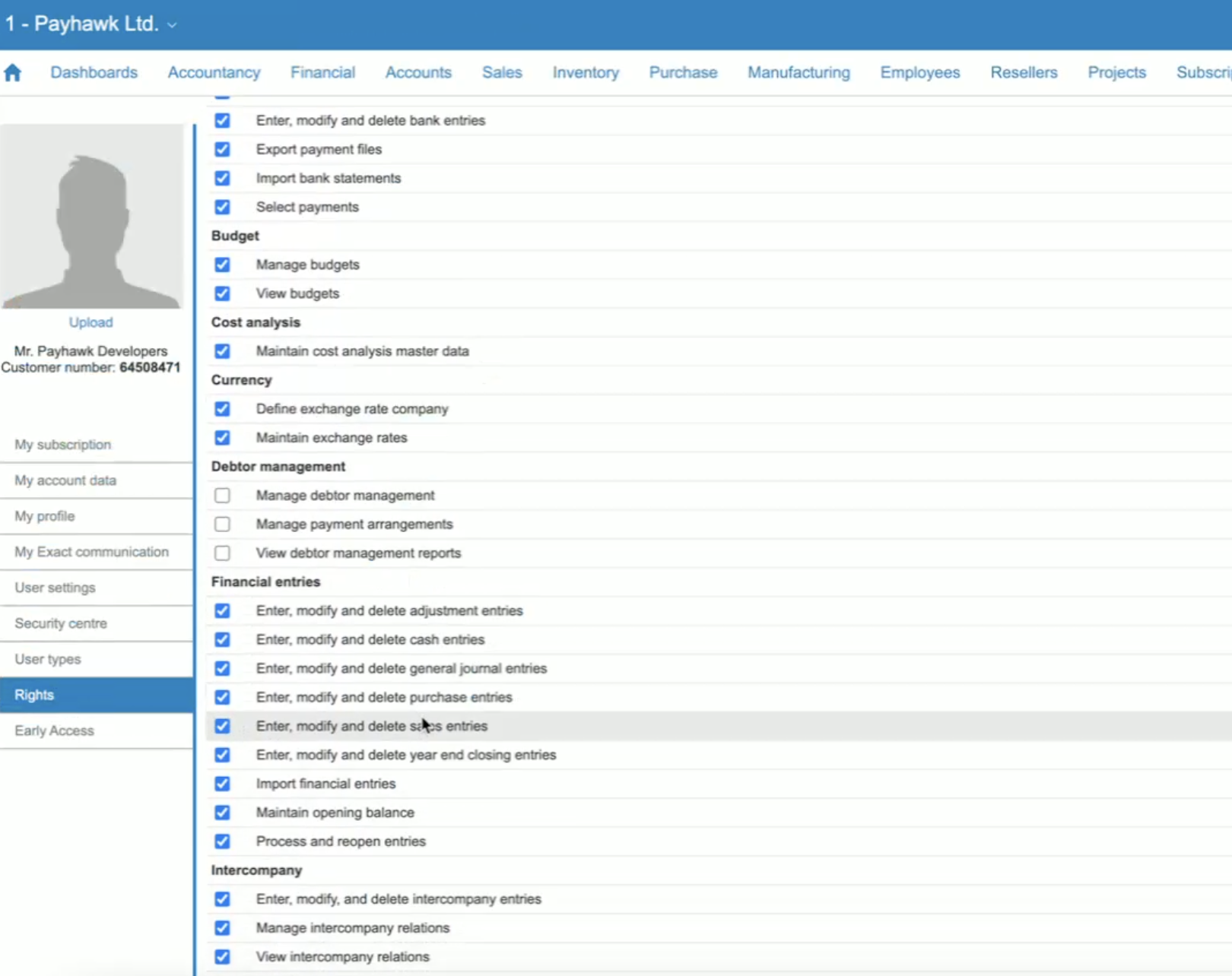
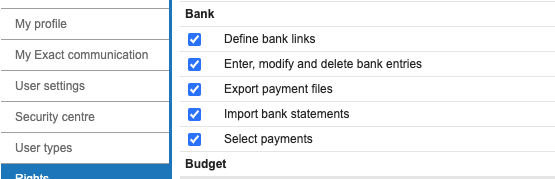
Additionally, ensure that the necessary rights are also enabled for Bank Entries to allow Payhawk to handle payments correctly.
Click Save if any changes were made.
Return to Payhawk and attempt to export the expense again. The export must now be successful.
If the rights cannot be updated for the current connecting user, reconnect the Payhawk integration using a user account that already has full admin rights in Exact Online.