As a Payhawk Administrator, you can edit the reimbursement details of your company employees from the employee profile in the Employees app.
To update the reimbursable details of an employee:
In the Payhawk Web Portal, open the app switcher in the top-left corner and go to Employees.
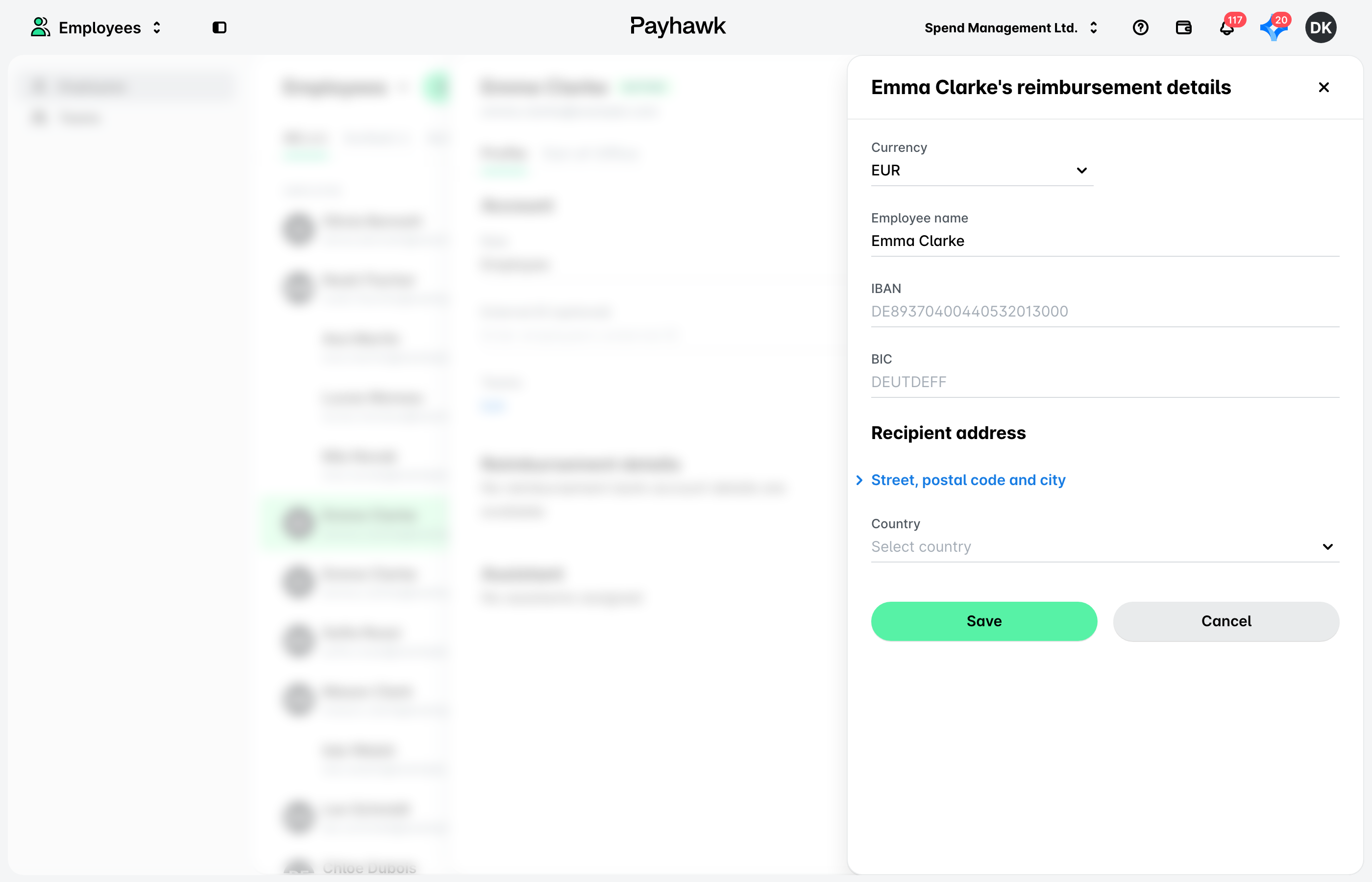
Select the employee whose details you want to change. Under Reimbursement details, click on Edit.
On the screen that opens, update the currency and reimbursement details of the employee. Under Recipient address, select the employee's country. For payments inside Europe (SEPA), the street, postal code, and city are optional. For payments through SWIFT, the street, postal code, and city are required. If you enter an address, use the employee's own address, not the bank's address or random characters.
Click on Save changes.
The changed reimbursement details of the employee will be immediately reflected in Payhawk. As a result, the employee will receive a push notification informing them about the change.
Useful resources