Error message
Your Exact Online division is marked as blocked. Please check the selected Exact Online division before trying an expense export.Affected ERP integrations
Exact Online
Cause
This error occurs when the Exact Online division connected to Payhawk has been marked as blocked. A division can become blocked if an Active from or Active to date range has been configured for it, and the current date falls outside of that range. When a division is blocked, Exact Online prevents any transactions from being processed within it, and the Payhawk export to fail.
Solution
To resolve this issue:
Log in to your Exact Online account.
From the top left menu, click on the dropdown that shows the available divisions.
Click Show All to view all available divisions.
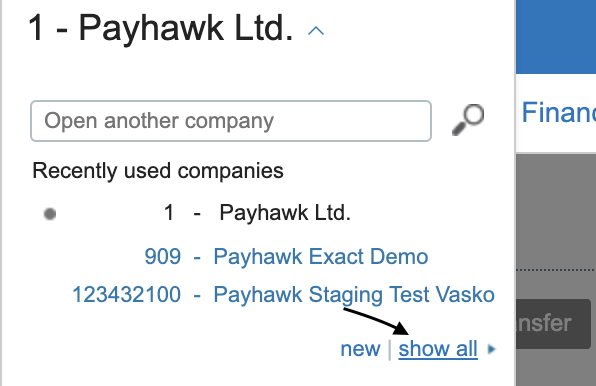
Locate and select the division that is connected to Payhawk.
Check the Active from and Active to fields for the division:
If no dates are specified, the division should not be blocked.
If dates are specified, verify that the current date falls within the defined date range.
If the current date falls outside of the date range, the division will be blocked.
Confirm that the Blocked setting shows None None, indicating that the division is not blocked. If the division is blocked, update the Active from / Active to date range to include the current date, or remove the date restrictions entirely.
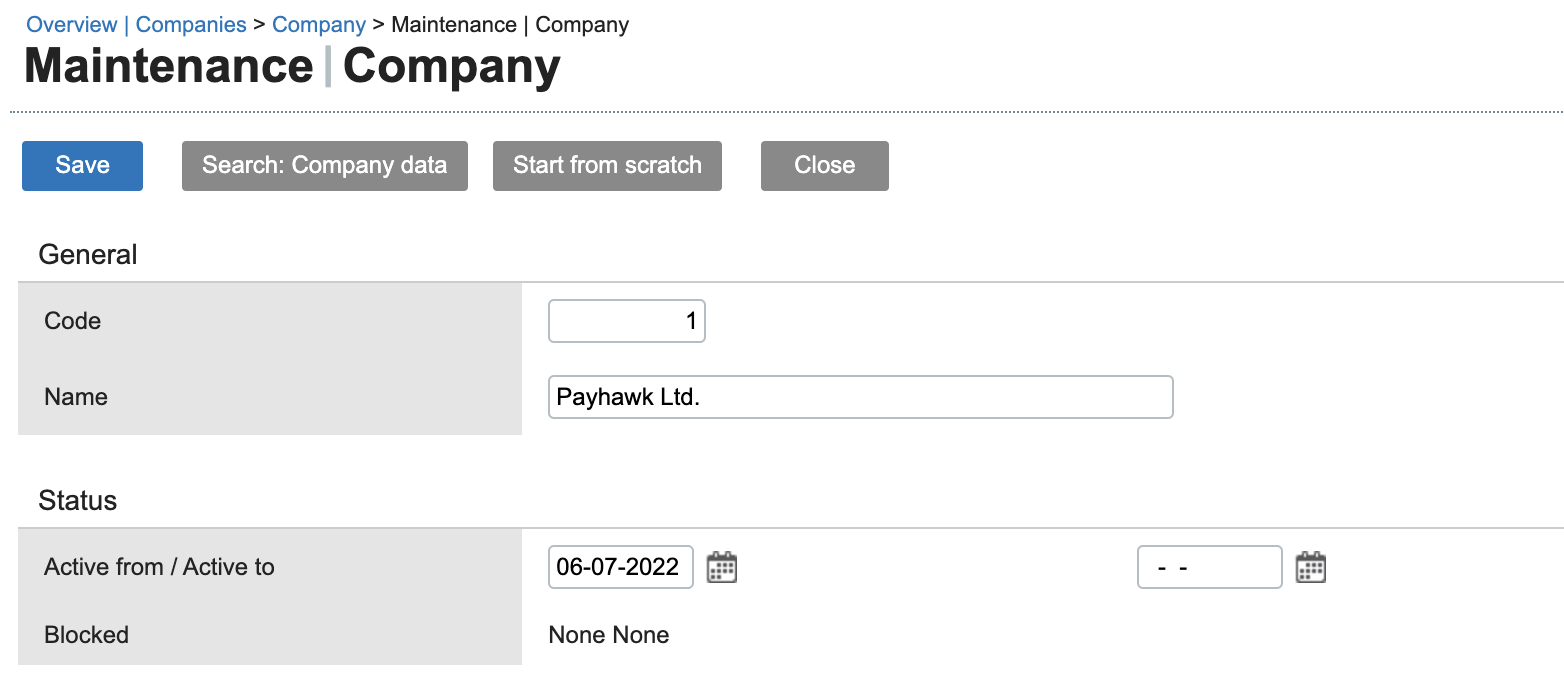
Save any changes made.
Return to Payhawk and attempt to export the expense again. The export must now be successful.
If the division is intentionally blocked and cannot be unblocked, reconnect the Payhawk integration to an active, unblocked division in Exact Online.