Once you've linked your Mastercard cards in Payhawk, you can use the available Payhawk options to manage it.
Viewing all settled card transactions
You can view all expenses that have been paid with your linked Mastercard card:
In the Payhawk Web Portal, open the app switcher in the top-left corner and go to Cards > Linked cards.
Select the desired card by clicking on it.
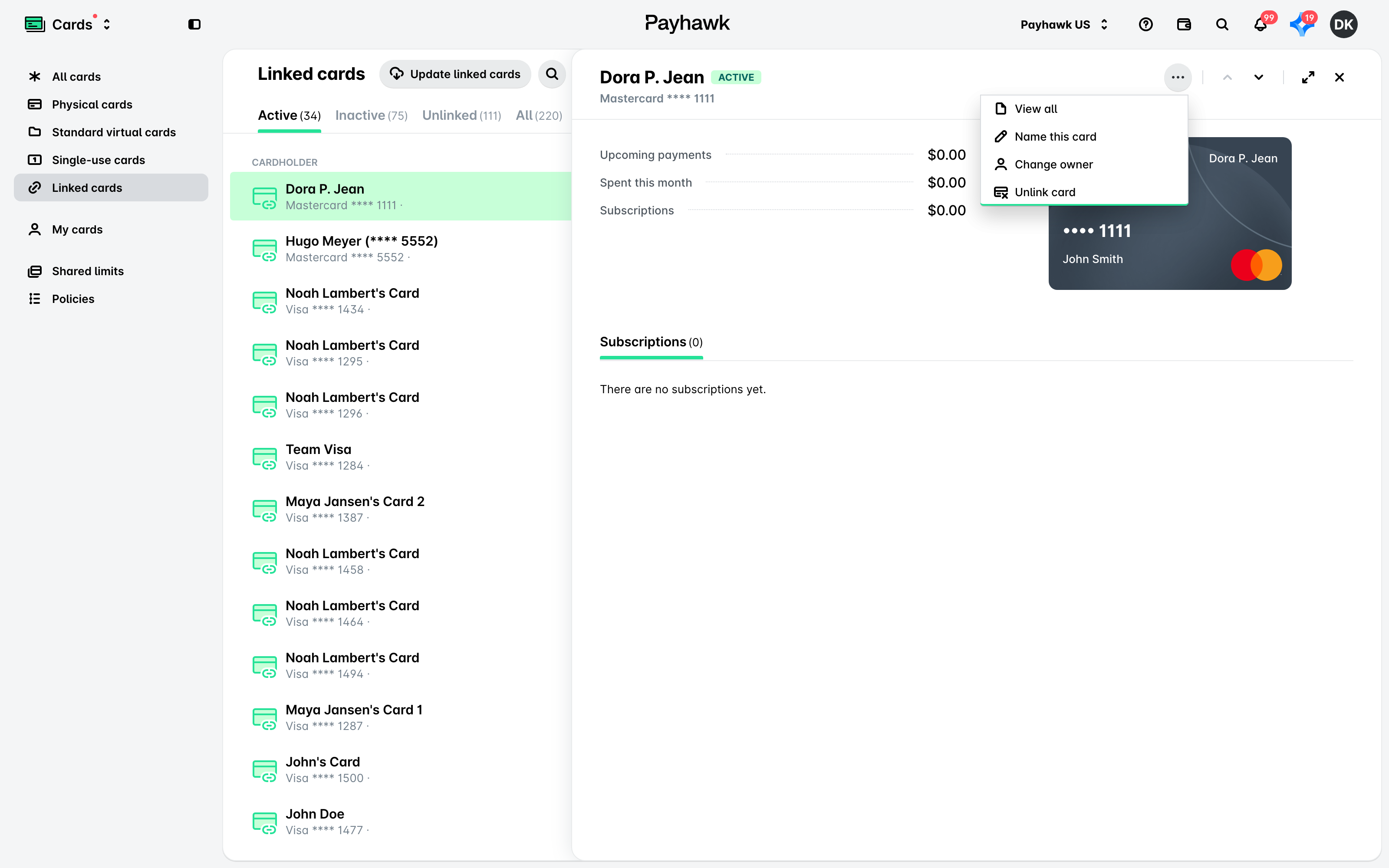
Click on its three-dot menu and select the View all option. As a result, you'll be redirected to the Spend > All tab.
Naming and renaming linked cards
You can name or rename your linked Mastercard card:
Open the app switcher in the top-left corner and go to Cards > Linked cards, then select the desired card by clicking on it.
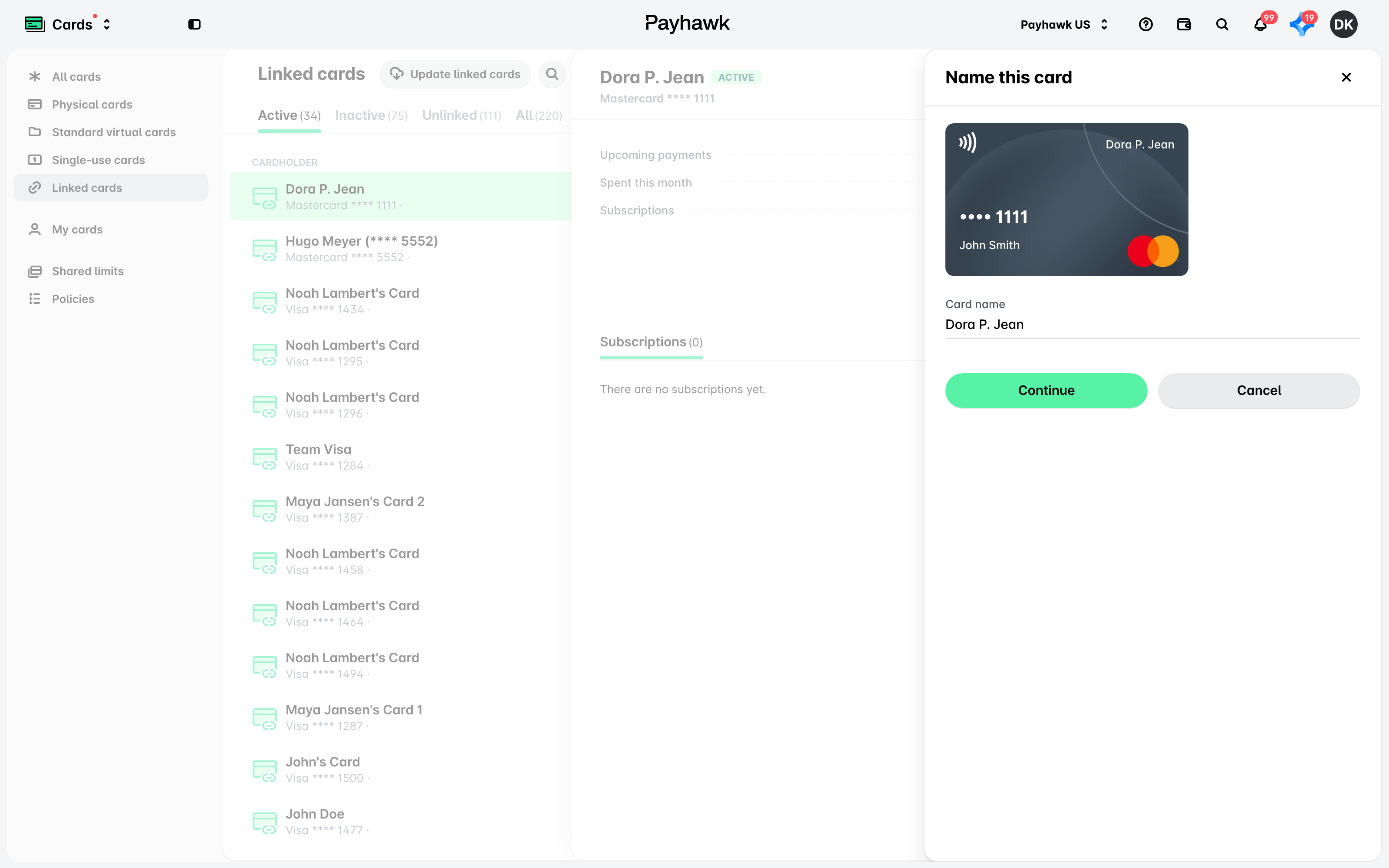
Click on its three-dot menu and select the Name this card option.
In the dialog that opens, enter the desired name and click on Save.
Unlinking Mastercard cards from Payhawk
Unlinking a Mastercard card from Payhawk will automatically close that card and you'll stop receiving related authorization and settlement data.
To unlink your Mastercard card from Payhawk:
In the Payhawk Web Portal, open the app switcher in the top-left corner and go to Cards > Linked cards, then select the Mastercard card you want to unlink.
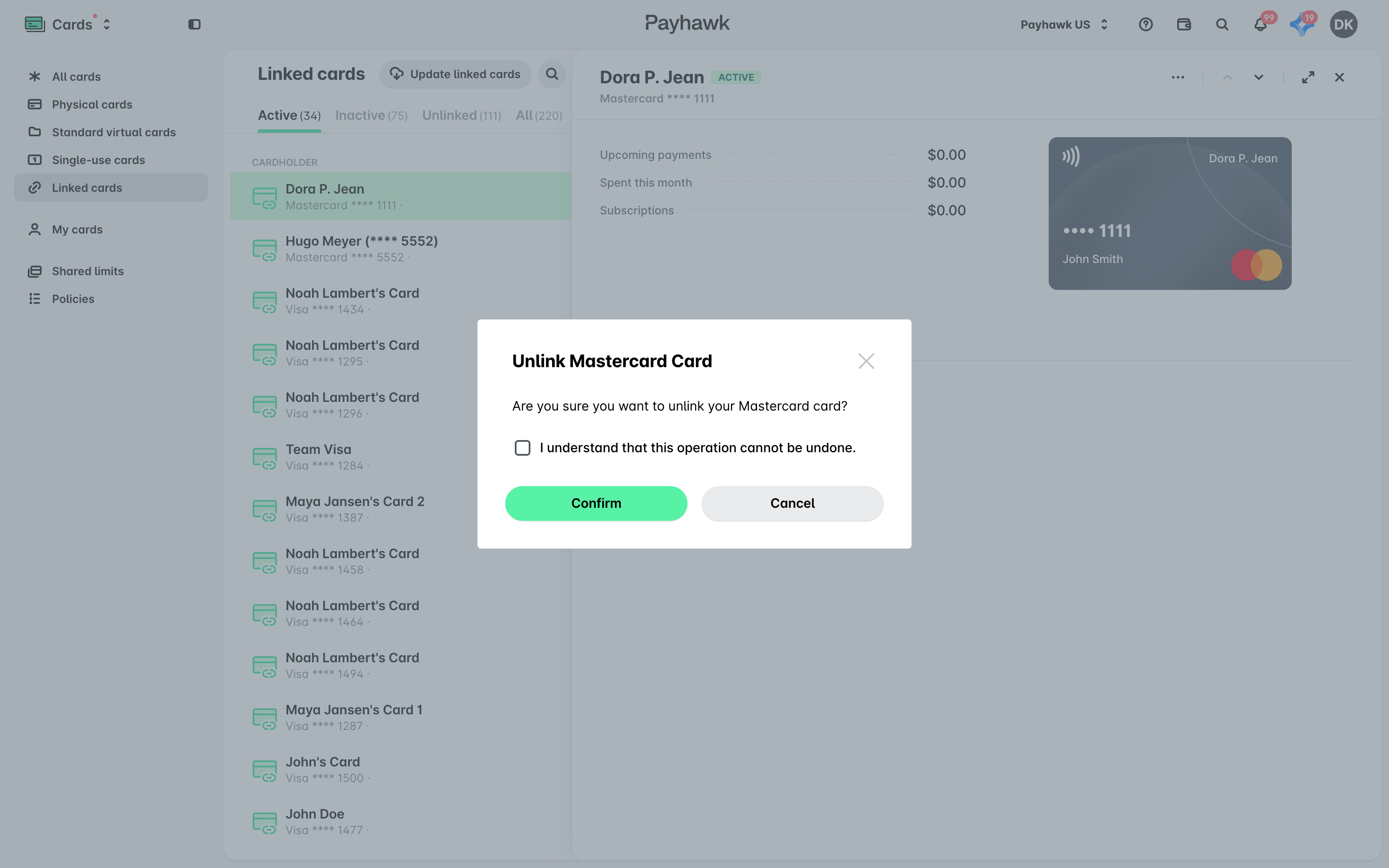
Click on its three-dot menu and select the Unlink card option.
In the dialog that opens, click on Confirm.
Changing the card owner
You can also change the owner of the linked card and assign a new employee as the cardholder:
In the Payhawk Web Portal, open the app switcher in the top-left corner and go to Cards > Linked cards, then select the Mastercard card whose owner you want to update.
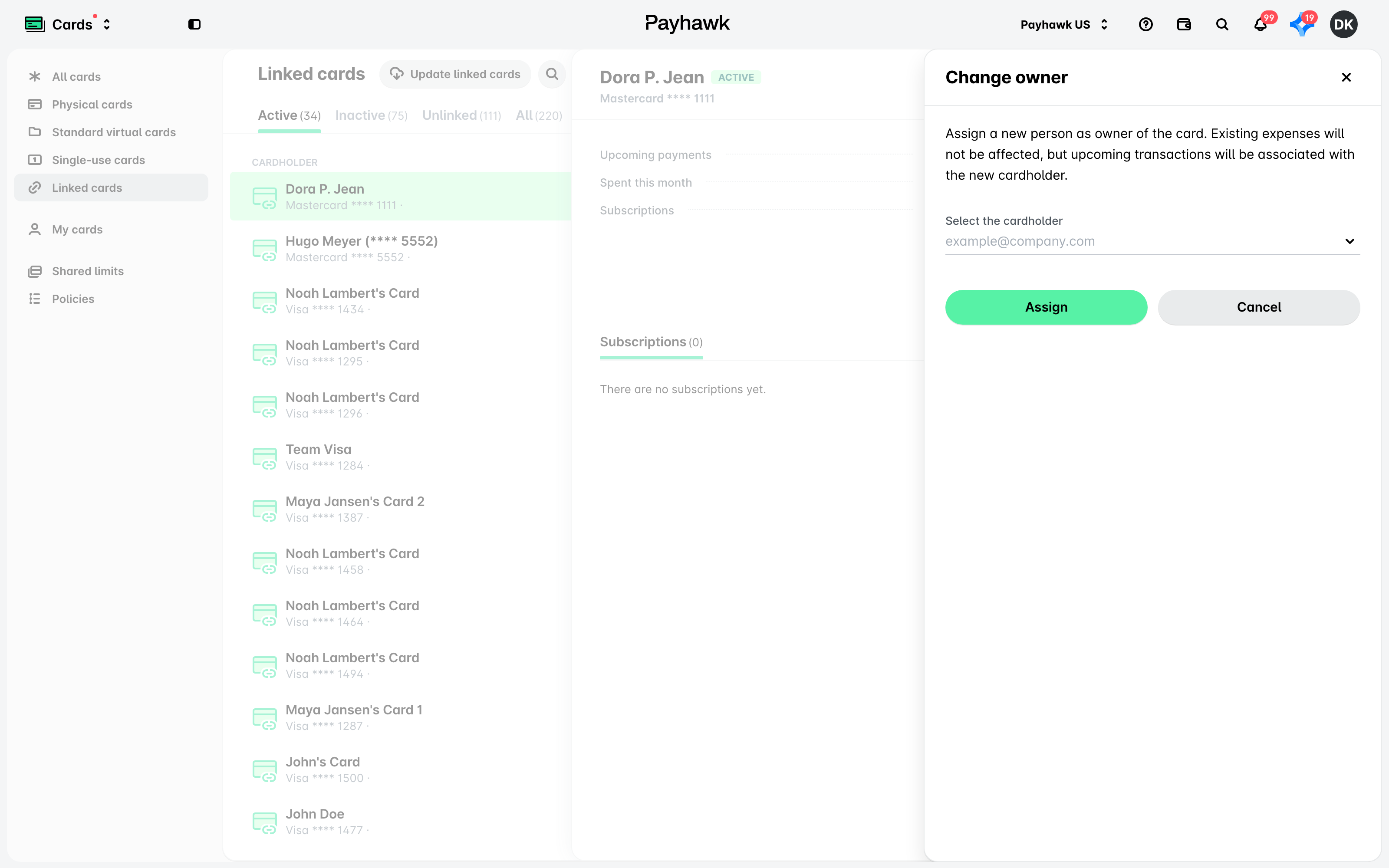
Click on its three-dot menu and select the Change owner option.
In the dialog that opens, enter the name of the new card owner and click on Assign.
Viewing the activity of linked Mastercard cards
Payhawk logs the changes made to your linked Mastercard card, such as unlinking it or changing its owner, in its Activity tab, together with who made each change and when. To view them, open the app switcher in the top-left corner, go to Cards > Linked cards, select the Mastercard card, and go to its Activity tab. For more information, see viewing the activity of linked cards.
Useful resources