After the successful approval of your credit application, Payhawk will open the credit account for your business with the approved credit line and let you know about this via email.
Companies can use their credit lines for card payments only.
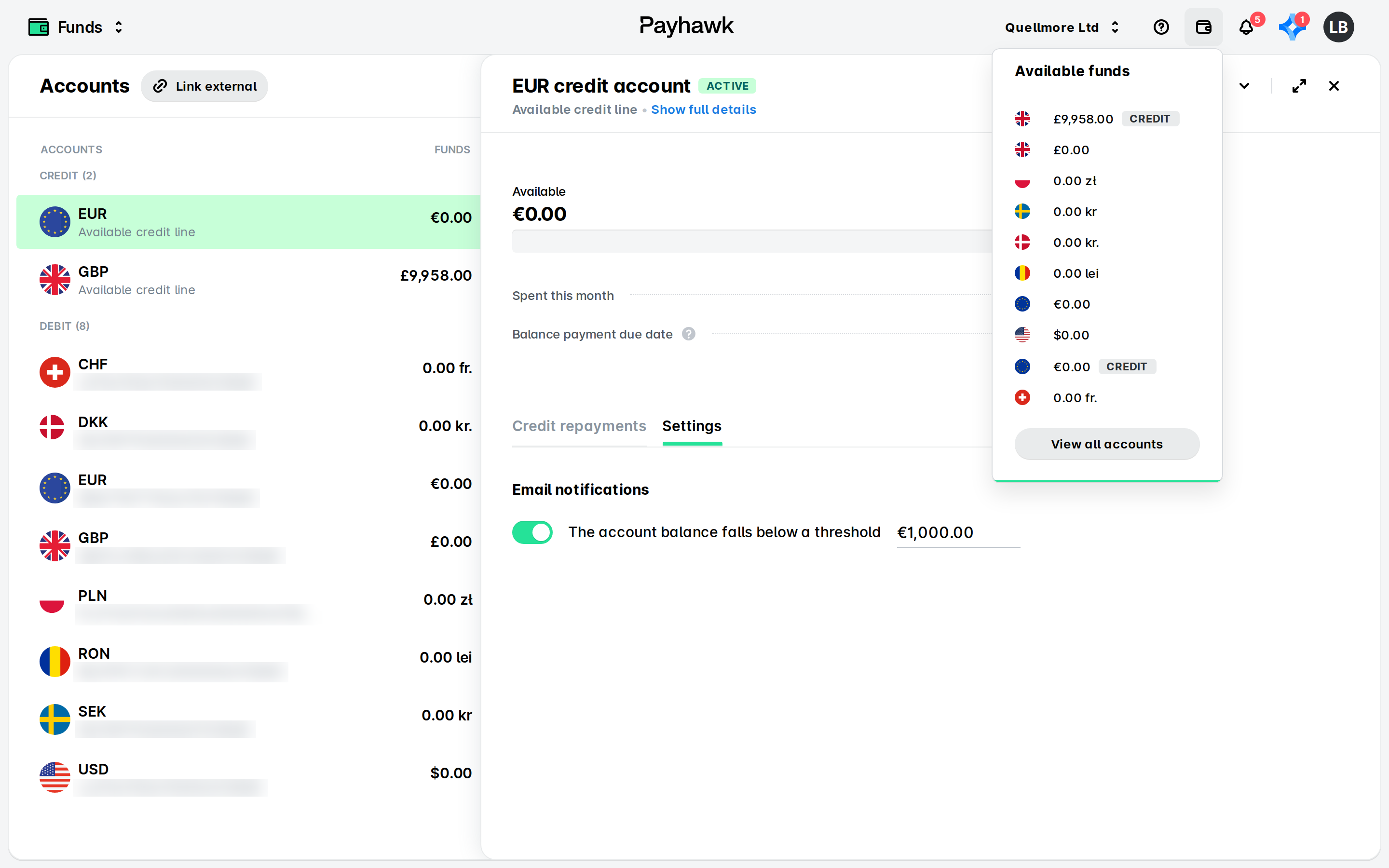
When you log in to the Payhawk Web Portal, the Funds app will display your newly opened credit account with the approved credit line.
The following table summarizes the credit line information you can see on the credit account details screen.
Field | Details |
Credit limit | The credit amount Payhawk has approved. |
Available | The credit amount you can still use given the credit card payments you have made. |
Spent this month | The credit amount you have utilized during the current month. |
Balance payment due date | The date by which you must pay back the credit to Payhawk. |
Credit repayments tab | The history of all credit repayments you have made to Payhawk. |
Settings tab | It allows you to set a threshold so that if the account balance falls under a specified amount, Payhawk will notify you by email. To enable the email notification option, switch on the toggle button and define the desired threshold amount. |
If UK and EEA companies already have debit accounts opened in EUR or GBP within the list of accounts, you can distinguish the credit ones by the tag displayed next to them.
Managing your credit expenses
You can manage your credit expenses in the same way the debit ones are managed in Payhawk.
Managing your credit cards
You can manage your credit cards in the same way the debit ones are managed in Payhawk.
Repayment
For more information, see the article about paying your utilized credit.
Useful resources