Error message
Failed to export expense. The statistical code is missing for the item card for use of Intrastat in Exact Online.Affected ERP integrations
Exact Online
Cause
This error occurs when your Exact Online account is configured to automatically prepare Intrastat declarations, and you are trying to export an expense with an item that is missing its required Statistical code.
Intrastat is a system for collecting statistics on the trade of goods between countries of the European Union. For this system to work correctly, each item being booked must have an associated statistical code.
Solution
To resolve this issue:
Log in to your Exact Online account.
Navigate to Inventory > Items > Overview.
Locate the item that is associated with the expense that failed to export.
Click on the item to open its item card.
Go to the Transport section.
Fill in the Statistical code field with the appropriate code for that item. Repeat this process for any other items that are missing their statistical codes.
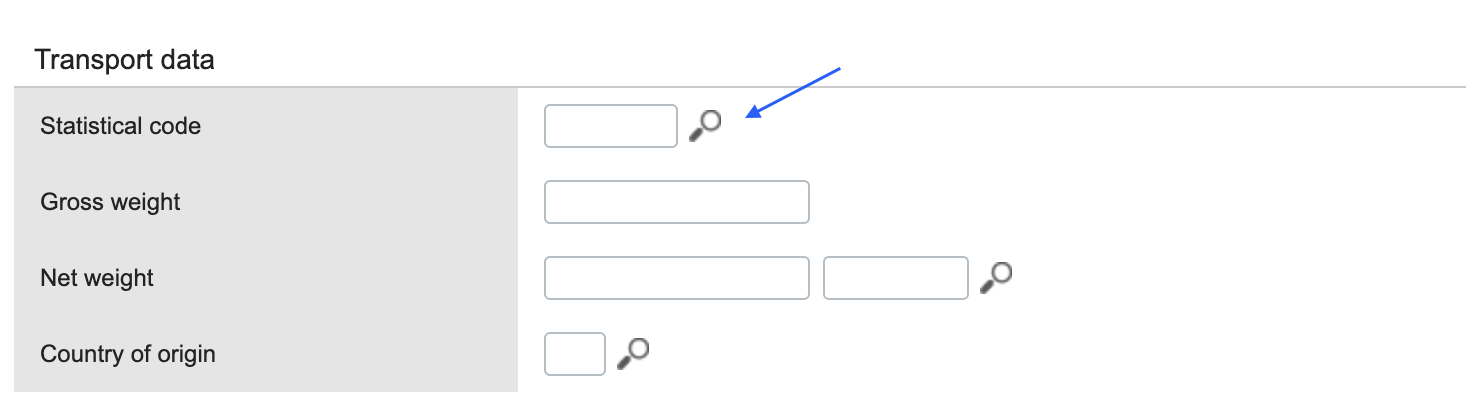
Click Save.
Return to Payhawk and attempt to export the expense again. The export must now be successful.