After a team card has been created, Payhawk administrators can update and edit its parameters by quickly setting or updating the recurring monthly limits and card spend limits, and allowing ATM withdrawals and fund requests for the cardholders of the linked cards.
Updating the available funds for team cards
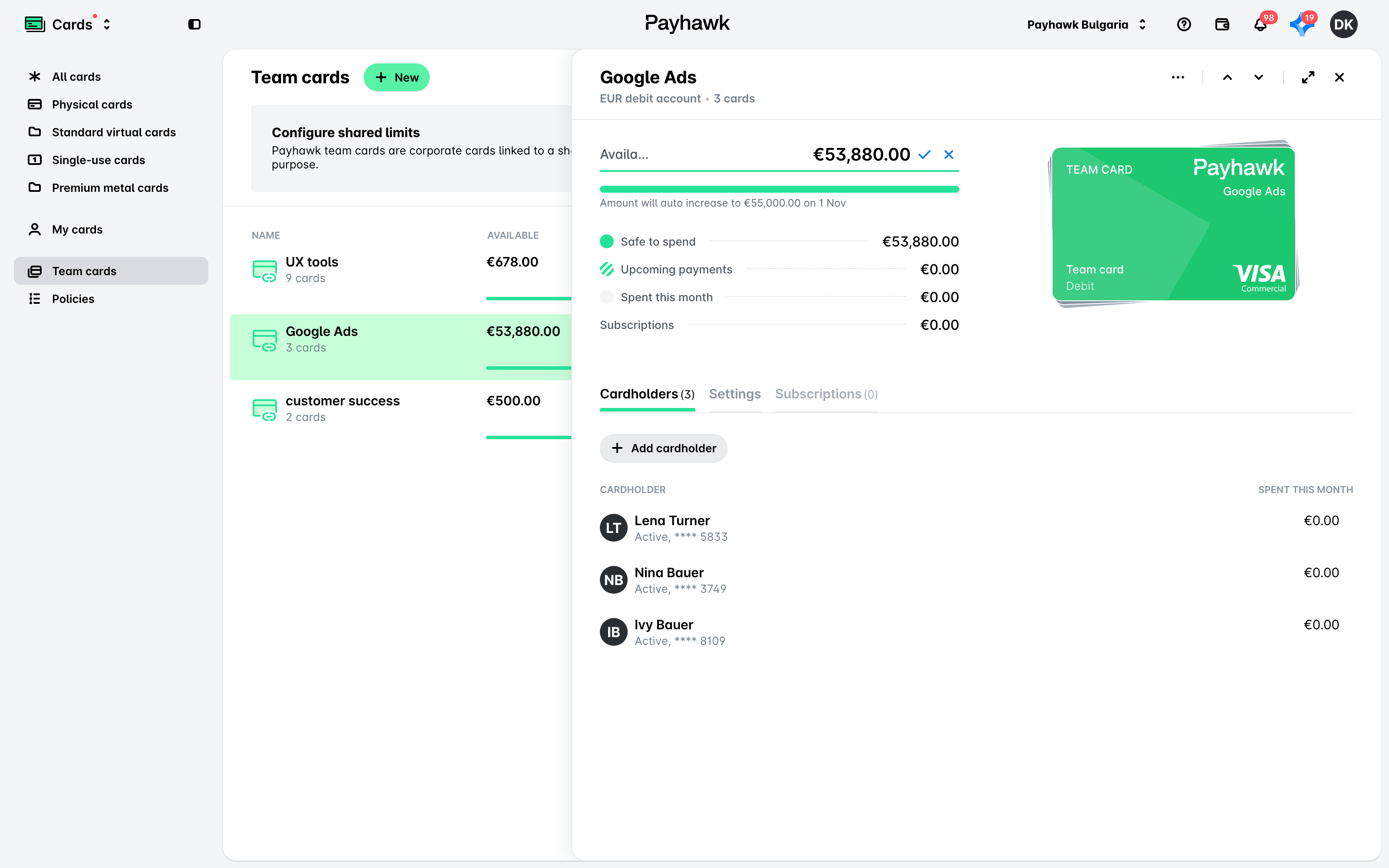
Independently from the recurring card limit, you can always update the available team card funds:
In the Payhawk Web Portal, open the app switcher in the top-left corner and go to Cards > Team cards.
Select the desired card by clicking on it.
In the Available field, click on the Edit (Pencil) icon.
Enter the new amount.
Click on the ✔ icon to save your updates. They will be applied immediately.
Alternatively, to cancel any changes made, click on x.
Setting the recurring monthly team card limit
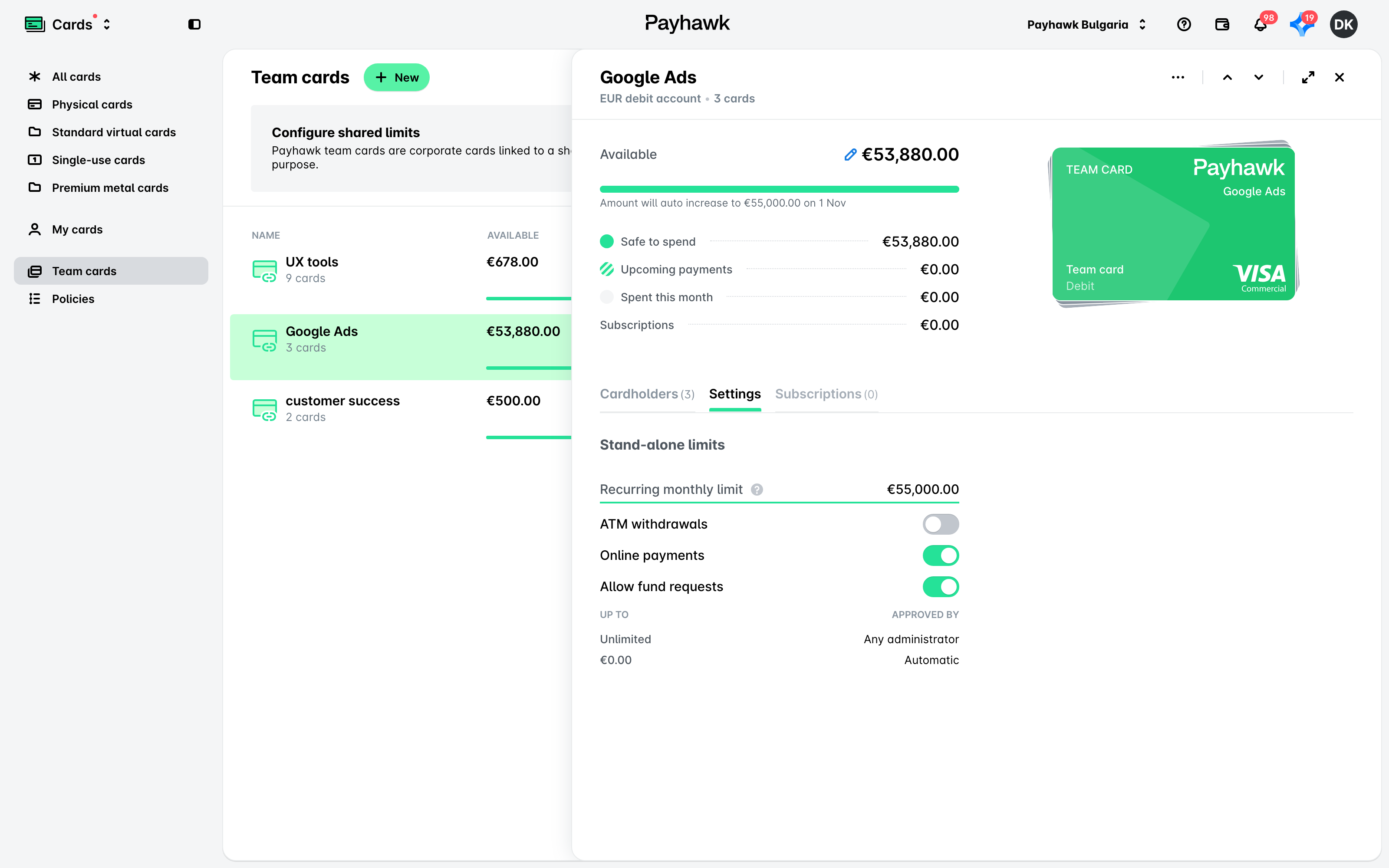
To set the recurring monthly limit of a Payhawk team card:
Open the app switcher in the top-left corner, go to Cards > Team cards, and select the team card whose settings you want to modify.
Under the Settings tab, go to the Recurring monthly limit option, enter the desired amount, and click elsewhere to save the changes.
Allowing ATM withdrawals, online payments, and fund requests for team cards
To enable ATM withdrawals, online payments, and fund requests for a team card:
Open the app switcher in the top-left corner and go to Cards > Team cards.
Select the desired team card by clicking on it.
Go to the Settings tab.
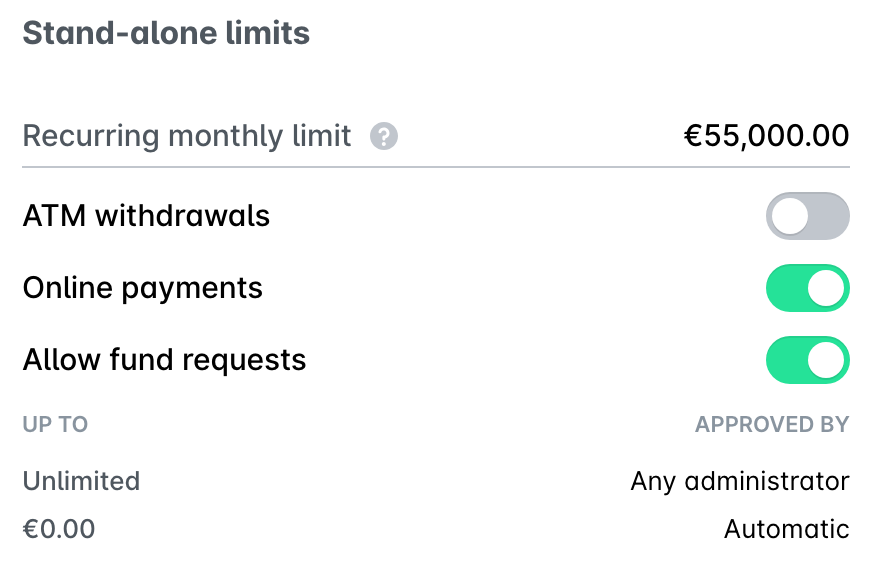
Switch on the ATM withdrawals, Online payments, or Allow fund requests toggle button, respectively. Alternatively, to disable ATM withdrawals, online payments, and fund requests for team cards, switch off the respective toggle buttons.
The approval workflow of fund requests for team cards is set to Any administrator by default regardless of the requested amount.
Useful resources