You can add context to a fund, card, or ATM withdrawal request by posting a comment and tagging the relevant people so that they get notified.
The following information about comments to expenses and expense requests applies to comments for purchase orders and purchase order requests:
Commenting on requests in the portal
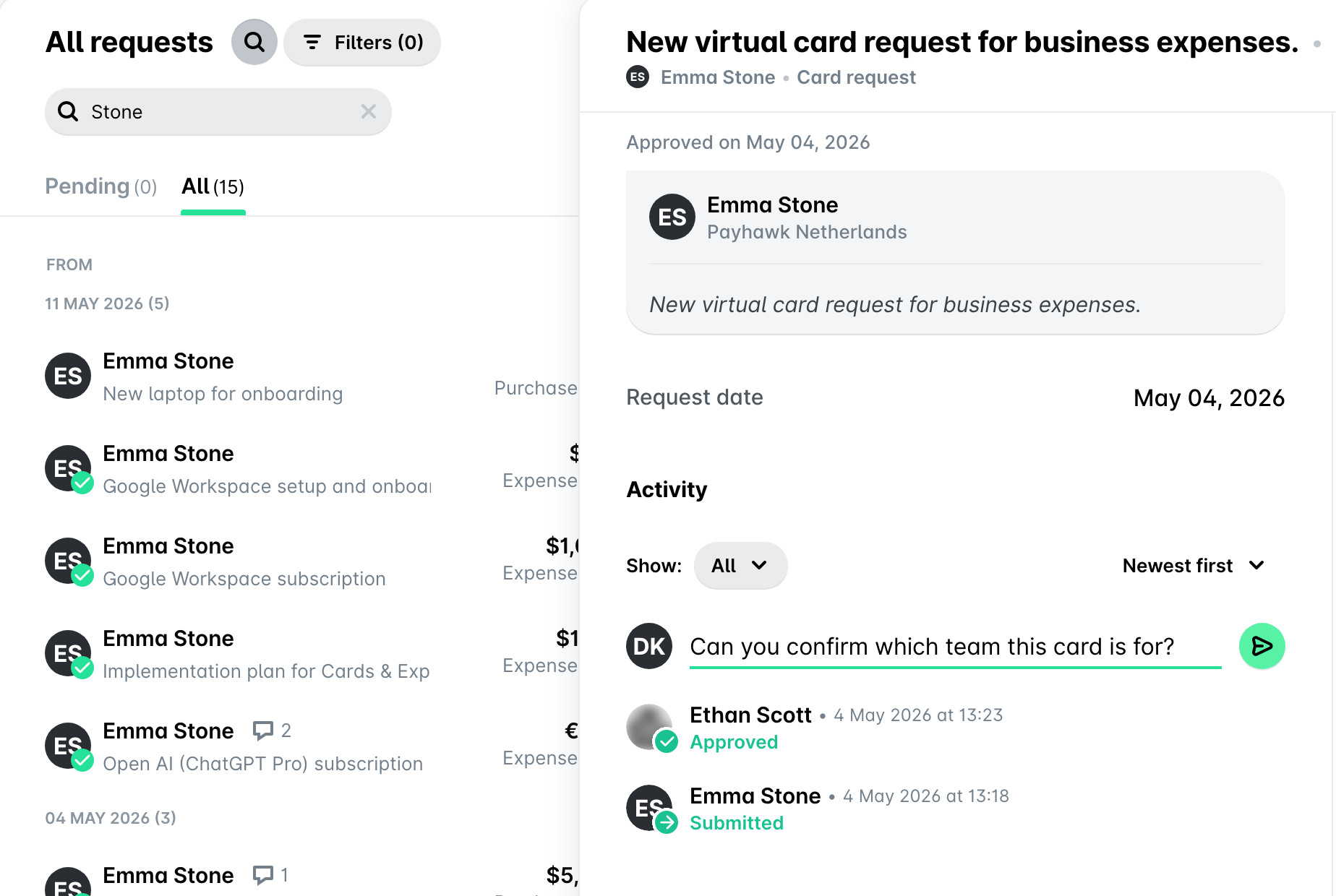
To add a comment for a fund, card, or ATM withdrawal for which you have received a notification:
Go to Inbox > All requests, then select the desired request.
Type your comment, tag any relevant employees, and click on Send to post and notify them accordingly.
Commenting on requests in the app
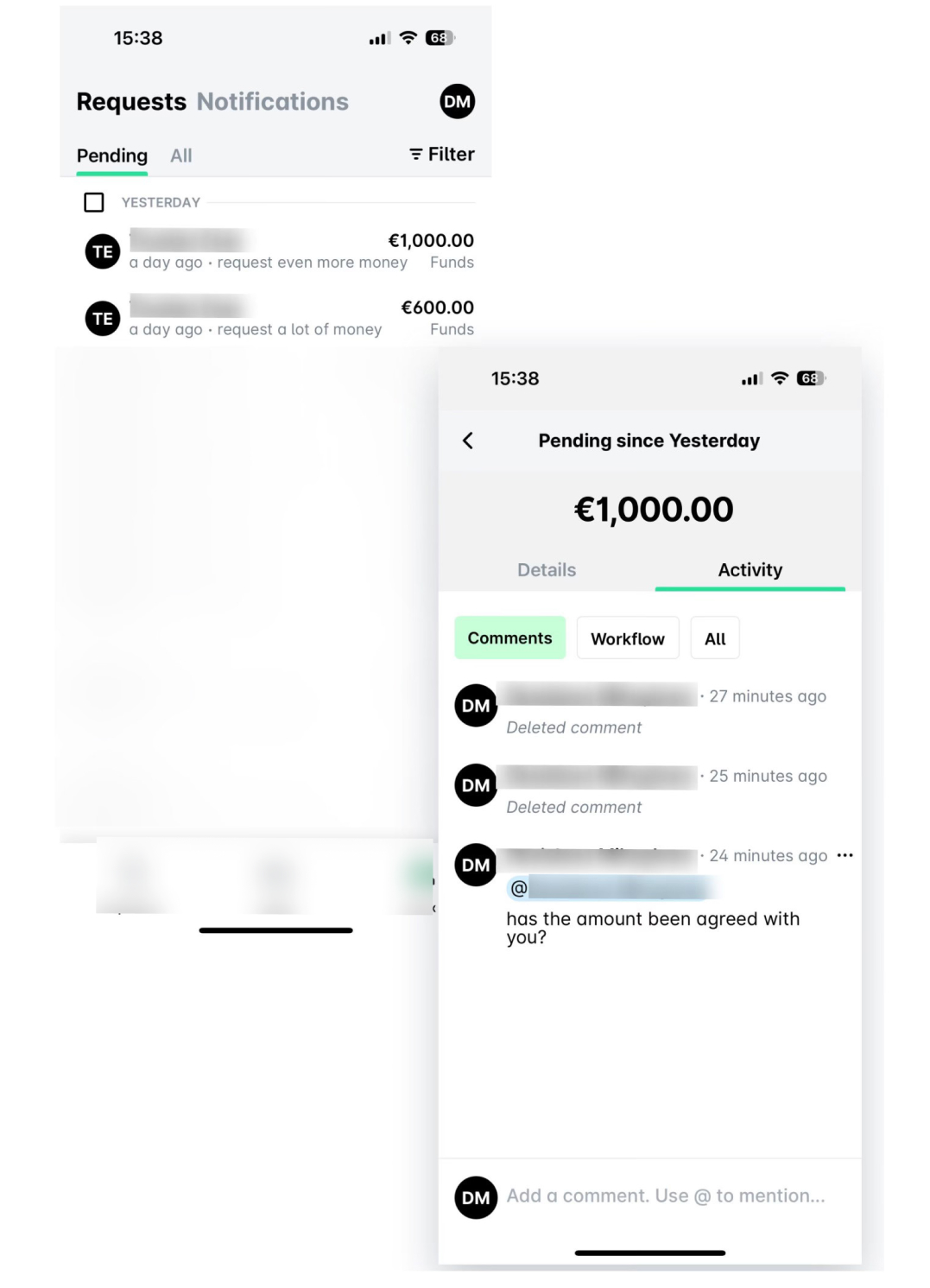
To reply to a fund, card, or ATM withdrawal, open your Inbox > Notifications and tap on the desired notification. Alternatively, tap on the push notification you've received on your phone.
If you are an approver, go to Inbox > Requests to me, select the desired request, and open its Activity section.
Deleting request comments in the portal
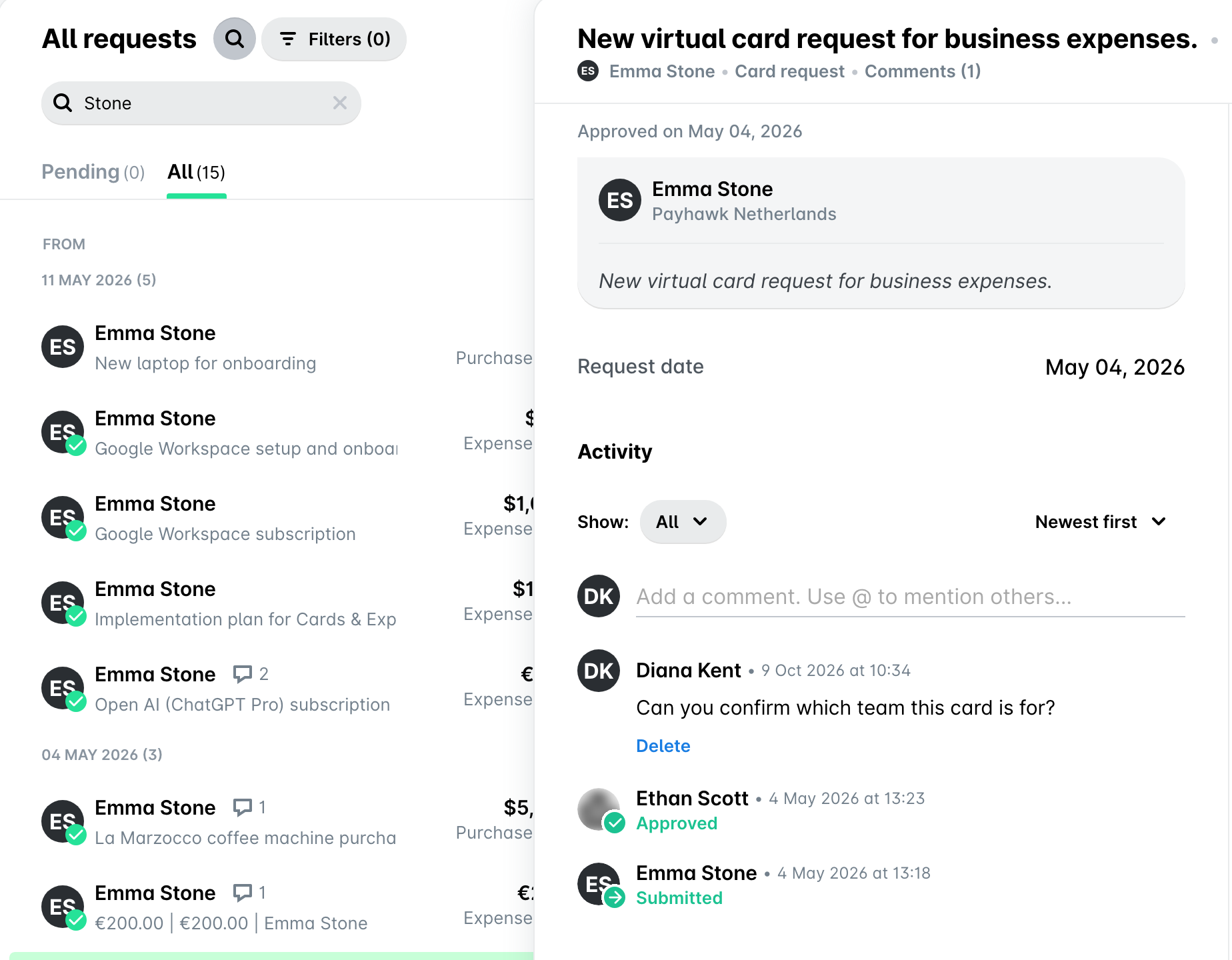
The deletion of a comment will be displayed in the request's Activity section once every option in its Show filter is ticked.
To delete a fund, card, or ATM withdrawal request comment, go to the comment and click on Delete.
Deleting request comments in the app
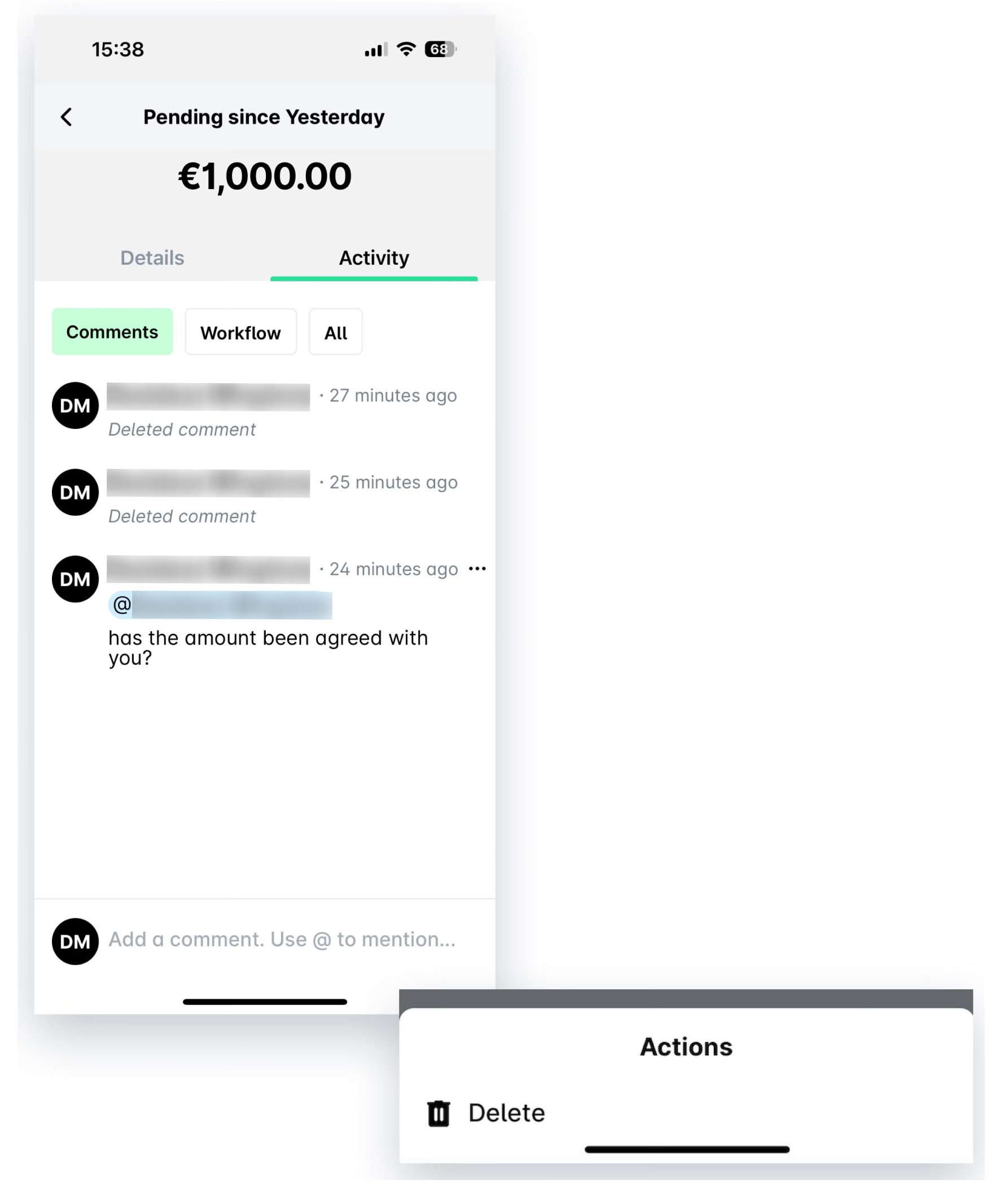
To delete a comment for a fund, card, or ATM withdrawal request in the app, go to Inbox > Requests and select the desired request. Go to its Activity > Comments tab, tap its three-dot menu, and, then, Delete.
Viewing fund, ATM withdrawal, and card request activity
In addition to the comments, the Activity section contains information about the workflow of the purchase and its change log with the respective updates. For more details, see the article about viewing fund, ATM withdrawal, and card request activity.
Useful resources